
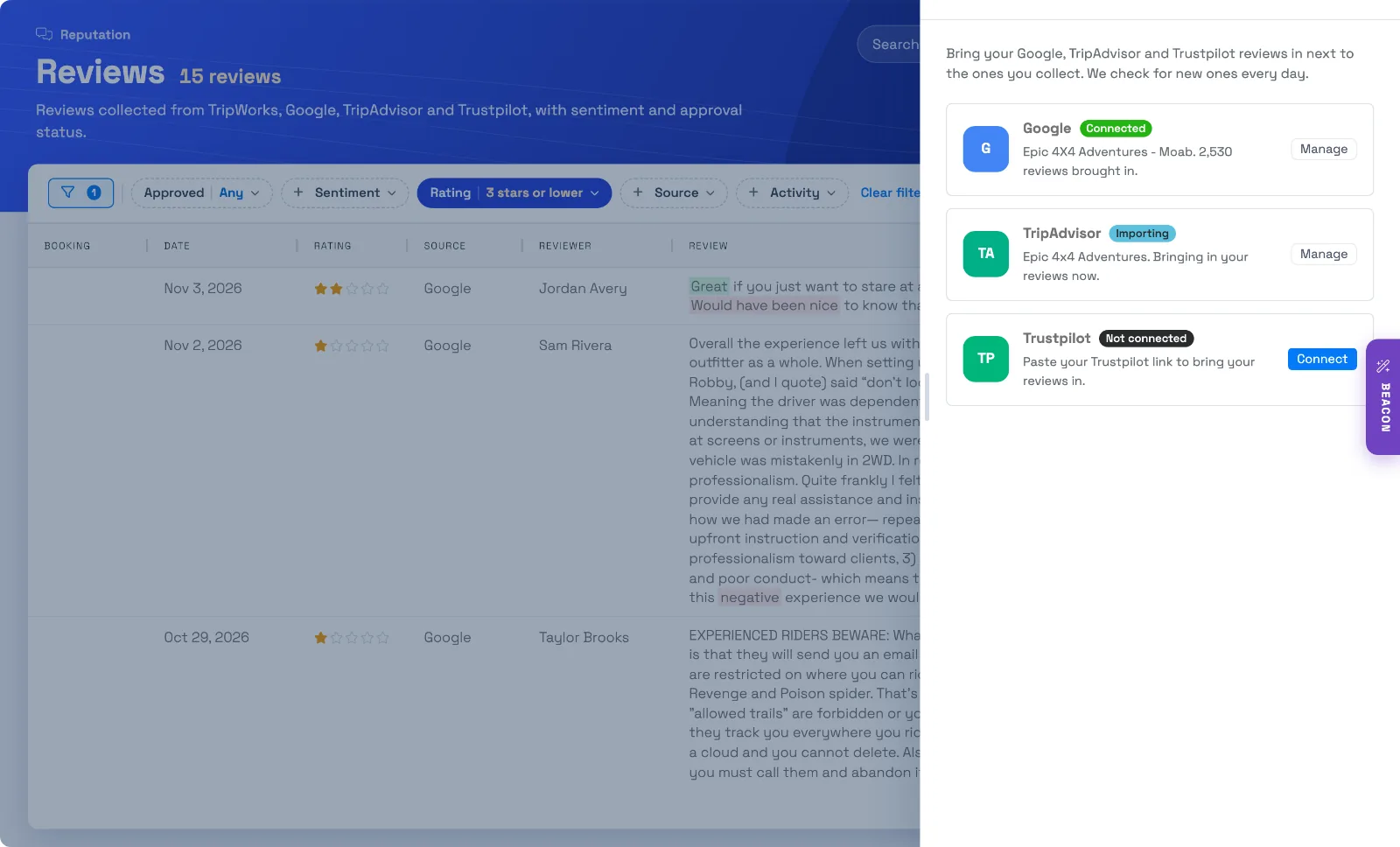
Connect your Trustpilot page once, and TripWorks brings in your newest Trustpilot reviews, then checks for new ones every day. They appear in your Reviews list next to the reviews you collect from guests, each labeled Trustpilot, so you can read, filter and follow up on all of them in one place.
In this article
Learn how to manage permission groups
Your business needs a company page on Trustpilot. If you can find it on trustpilot.com, you're set.
Connect Trustpilot to TripWorks
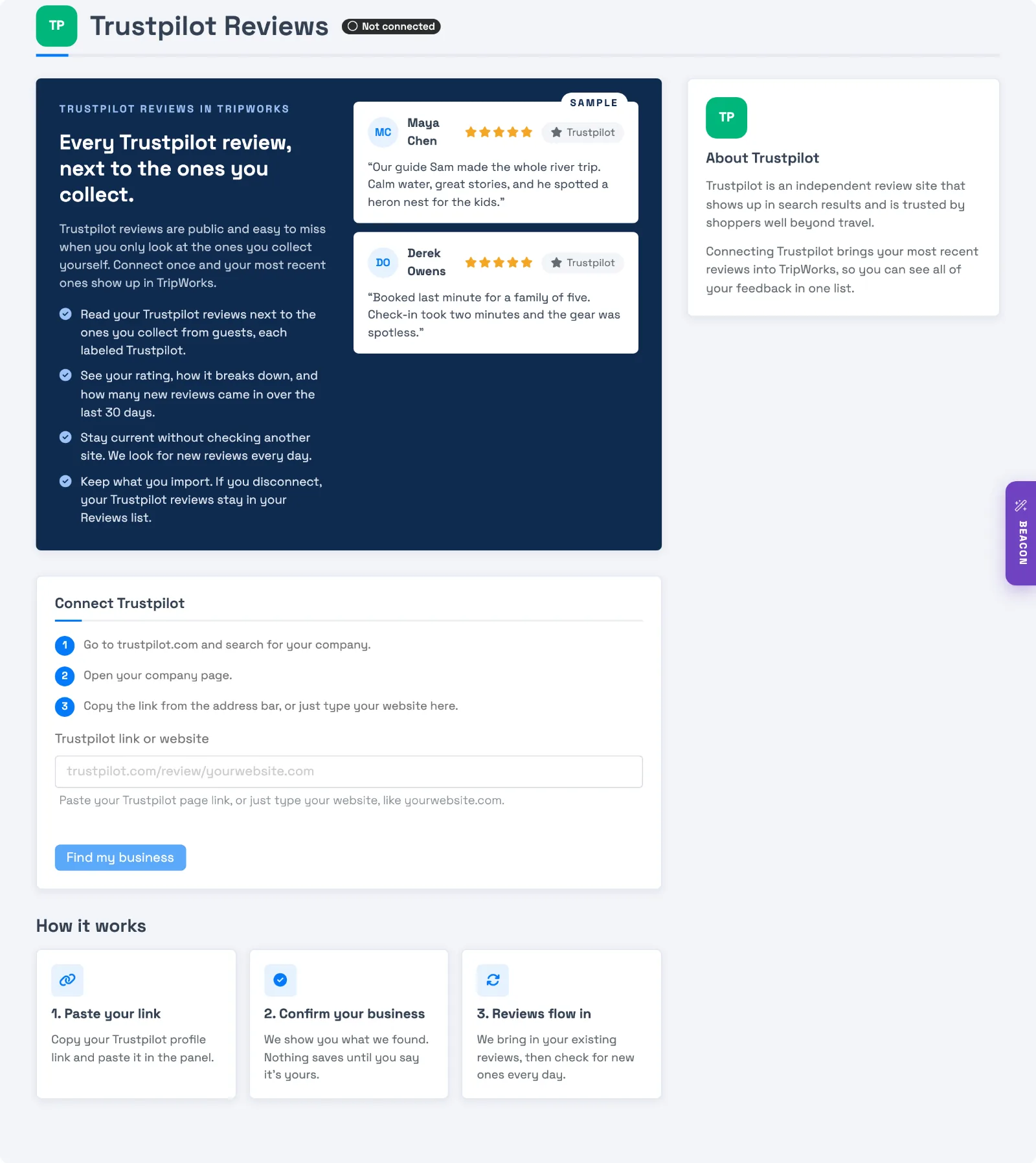
- Go to Setup Integrations and select Trustpilot Reviews. You can also open Reviews, select Review sources, then Connect next to Trustpilot.
- Go to trustpilot.com and search for your company.
- Open your company page. The address looks like
trustpilot.com/review/yourwebsite.com. - Copy the link from the address bar. You can also just type your website, like
yourwebsite.com. - Paste the link into the Trustpilot link or website field and select Find my business.
- TripWorks shows your company name, star rating, and total number of reviews. Select Yes, connect this if it's your business, or No, try again to paste a different link.
- TripWorks starts the first import. The page shows Importing and a count that climbs as reviews arrive. You can leave the page and come back, since the import keeps going without you.
What TripWorks brings in
- The first import. Trustpilot imports are limited to your newest 200 reviews, however many your page has. Newer reviews keep arriving through the daily checks. A listing with thousands of reviews can take around ten minutes.
- Daily checks. Once a day, TripWorks looks at your newest Trustpilot reviews and adds any it doesn't have yet.
- For each review. The reviewer's name, star rating, review text, the date it was posted on Trustpilot, and a link back to the original. TripWorks also scores the sentiment of the text, the same way it does for reviews you collect.
- Rating breakdown. Trustpilot doesn't share a star breakdown, so TripWorks works it out from the reviews it has brought in and says so under the bars.
Where your imported reviews show up
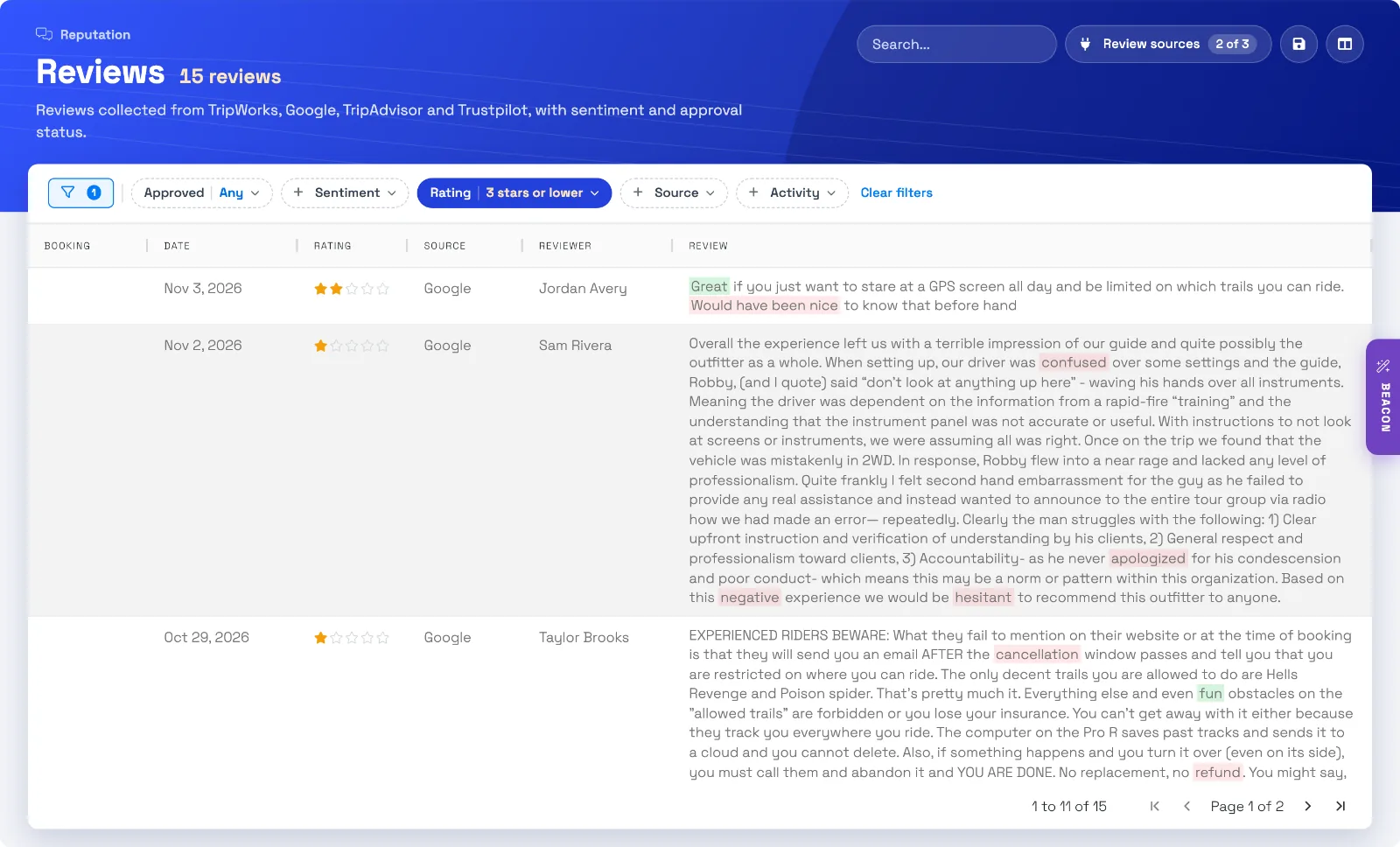
Open Reviews. Imported reviews sit in the same list as the reviews you collect from guests, newest first, with the source in the Source column.
- Use the Source filter to show only Trustpilot, or leave it off to see everything together.
- Use the Rating filter to find 5-star reviews, 4 stars and up, or 3 stars and lower.
- Select a review and choose View original review to open it on Trustpilot.
Manage the connection
On the Trustpilot Reviews page:
- Import new reviews automatically pauses the daily checks when you turn it off, and starts them again when you turn it on.
- The refresh button checks for new reviews right now instead of waiting for the daily check.
- Change profile connects a different Trustpilot page. You'll confirm the new business before anything changes.
- Disconnect stops new reviews from coming in. The reviews you already have stay in your Reviews list.
- Check history lists every check with its time and how many new reviews it found. If a check couldn't reach Trustpilot, the status shows Needs attention, and Retry tries again.
What TripWorks can't do
- Trustpilot reviews can only be answered on Trustpilot. Reply from your Trustpilot business account.
- If a reviewer edits or deletes their review on Trustpilot after it's imported, the copy in TripWorks stays as it was imported.
- Imported reviews aren't linked to a booking, since they come from the public page.
Example: what this looks like in practice
- Find your lowest Trustpilot ratings — open Reviews, choose the Rating filter, and select 3 stars or lower to see the reviews to answer on Trustpilot.
- See only Trustpilot — use the Source filter to show just Trustpilot reviews.
- Read the newest first — the Reviews list sorts newest first, so yesterday's review is at the top.
- Open the original on Trustpilot — select a review, then View original review to jump to it on Trustpilot.
Frequently asked questions
Why only 200 reviews?
The first import brings in your newest 200 reviews, even if your Trustpilot page has many more. After that, the daily checks add each new review as it's posted, so your TripWorks list stays current from that point on.
Why does finding my company take a while?
Looking up a Trustpilot page can take around 15 seconds. The page shows a spinner while it works.
How often does TripWorks check Trustpilot for new reviews?
Once a day. Each check looks at your newest Trustpilot reviews and adds any that aren't in TripWorks yet. The Check history table on the integration page lists every check with its time and how many new reviews it found.
Will I get an email or notification for every imported Trustpilot review?
No. Imported reviews don't trigger a notification each. Reviews from the past week can appear in your weekly review summary email.
Can I reply to or remove a Trustpilot review from TripWorks?
No. Trustpilot reviews can only be answered on Trustpilot. Reply from your Trustpilot business account. See Can I remove or respond to a review?
What happens to my imported reviews if I disconnect Trustpilot?
They stay in your Reviews list. Disconnecting only stops new reviews from coming in. If you connect again later, TripWorks recognizes the reviews it already has and doesn't duplicate them.
Can I pause importing without disconnecting?
Yes. On the integration page, turn off Import new reviews automatically. Nothing new comes in until you turn it back on, and the reviews you already have stay put.
What if a Trustpilot review is edited or deleted after it's imported?
If a reviewer edits or deletes their review on Trustpilot after it's imported, the copy in TripWorks stays as it was imported.
Who can connect and manage review sources?
Anyone with the Setup integrations catalog permission. See Manage permission groups.
Related
- Import your Google reviews into TripWorks
- Import your TripAdvisor reviews into TripWorks
- Collecting guest reviews
- Can I remove or respond to a review?
- Third-party integrations
- Manage permission groups
Built for attractions, tours & activities
See your Trustpilot reviews next to your guest reviews
See how attractions, tours, and activities keep every review in one place on TripWorks. Book a demo and make the switch.