
You can add a "Leave a tip" button to an email so guests can tip your team online. The button uses the tip URL variable (#tip_url#), which sends each guest to their tip page in your Customer Portal. It works in any template, but it lands best in the Event Follow-up email — the one that reaches guests right after their activity, when the experience is fresh.
Add the tip button
- Go to Setup Sell online Message Templates and open your follow-up template (or select New Template).
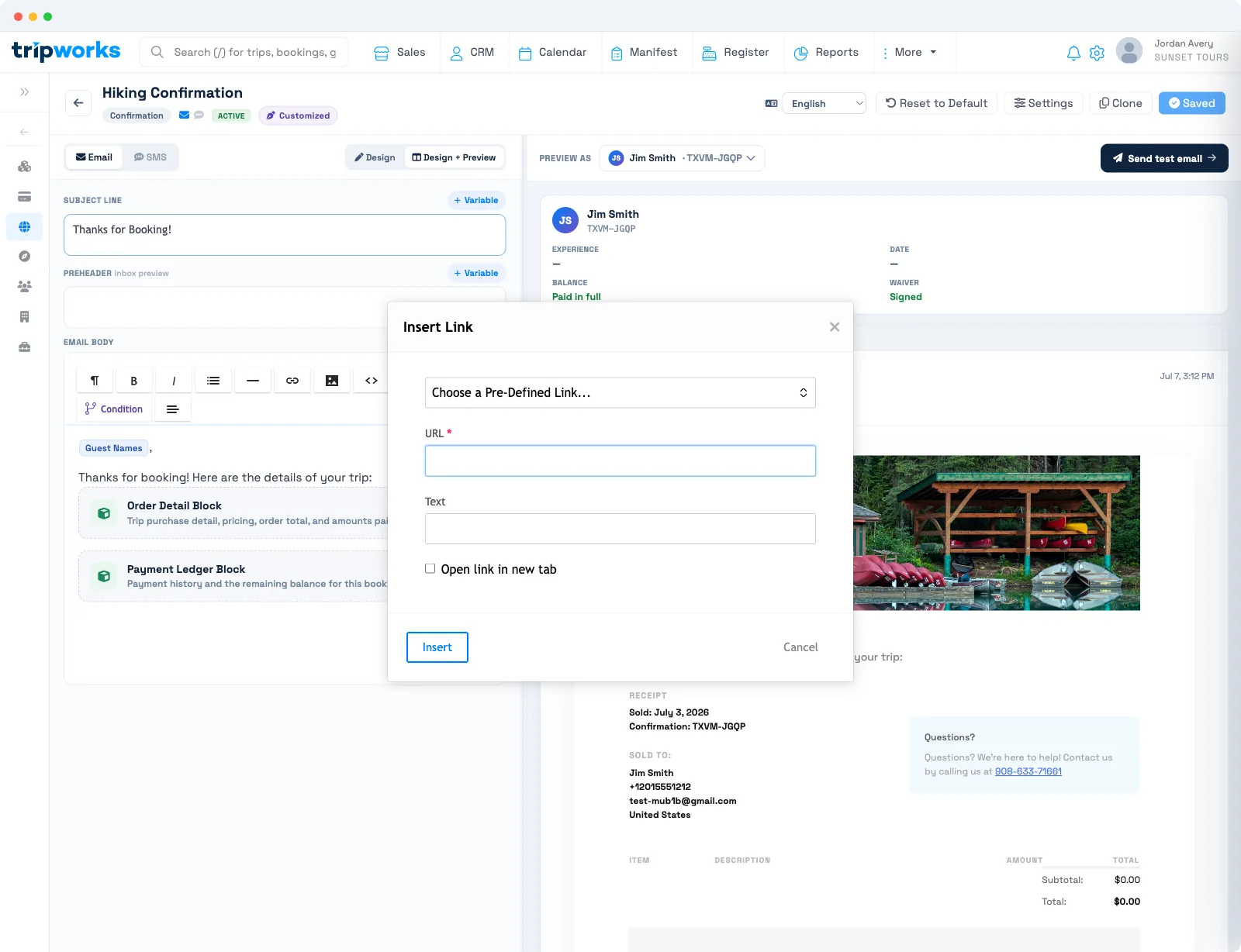
- In the email body, type the button text — for example, "Leave a tip".
- Highlight the text, use the link tool, and set the destination to the tip URL (the
#tip_url#variable). - Style it as a button so it stands out.
When the email sends, TripWorks replaces the link with that guest's own Customer Portal tip page. The Studio saves your changes on its own. For the toolbar and styling controls, see create, edit & manage message templates.
Put the tip button in your Event Follow-up template so it goes out automatically after each activity. See event follow-up messages to set the send timing.
Where the button sends guests
The #tip_url# variable resolves to the guest's tip page in your Customer Portal — the same self-service page where guests can view and manage their booking. Each guest gets their own link, so a single template collects tips from everyone it goes to. Tips guests leave there flow back to your account like any other tip.
Frequently asked questions
What link does the tip button use?
The tip URL variable, #tip_url#. Set it as the destination of your button, and TripWorks fills in each guest's own Customer Portal tip page when the email sends.
Which email should the tip button go in?
The Event Follow-up email works best — it reaches guests just after their activity. You can add the button to any template, but a post-activity follow-up gets the strongest response.
Where does the tip button take guests?
To their tip page in your Customer Portal, where they choose an amount and pay. Each guest gets a link tied to their own booking.
Related
Built for attractions, tours & activities
Let happy guests tip your team
See how attractions, tours, and activities collect tips through automated follow-up emails on TripWorks. Book a demo and make the switch.