
Cash drawers let you track which physical drawer received each cash payment, so at the end of the day you can count each register down and reconcile it against what TripWorks recorded. Setup lives in your hardware settings, alongside card readers and waiver devices.
In this article
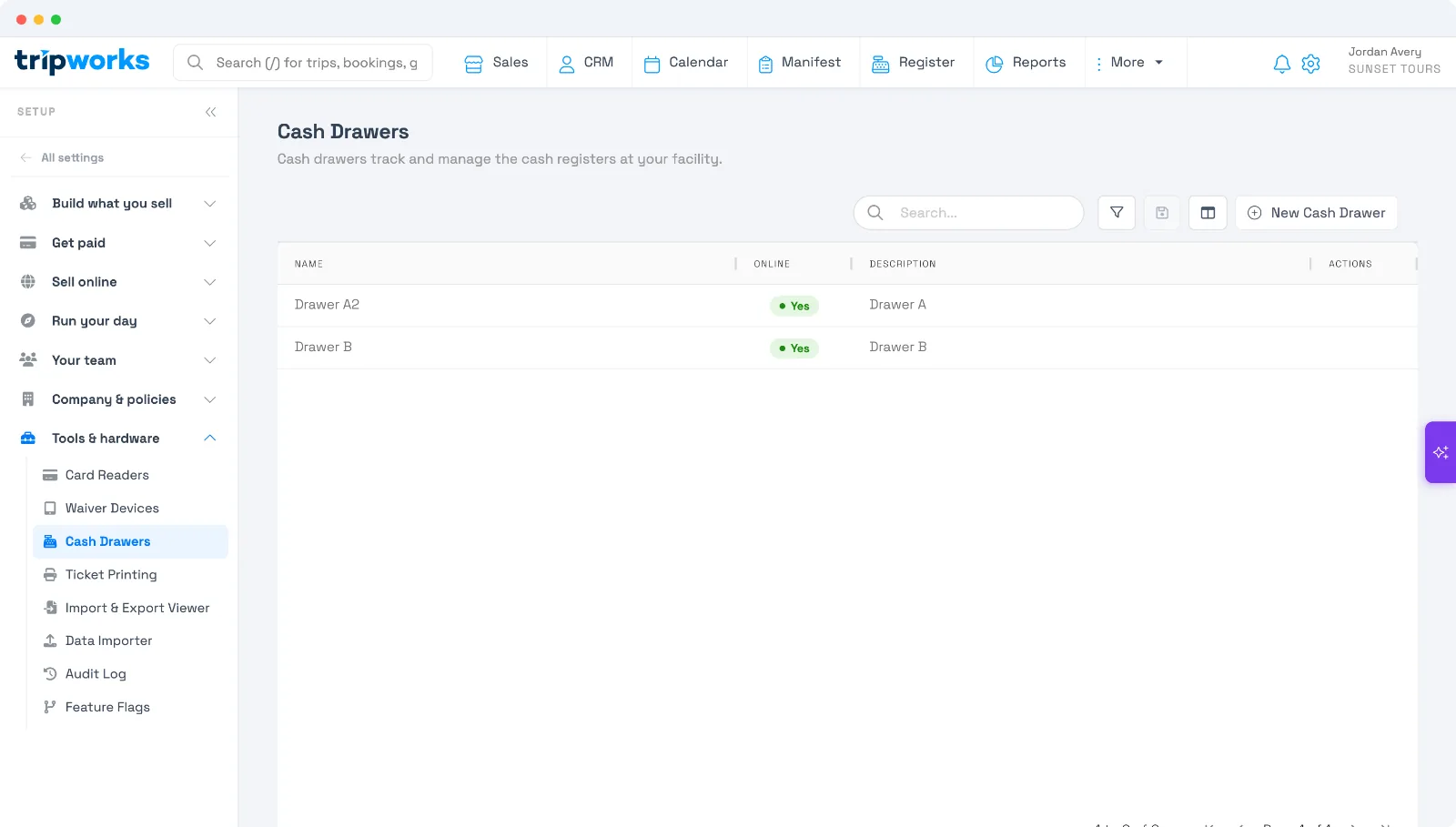
Step 1 — Add a cash drawer
- Go to Setup Tools & hardware Cash Drawers and select New Cash Drawer.
- Give it a name your team will recognize — for example, "Front Desk Drawer 1."
- Add an optional description, leave it Online, and save.
Repeat for each physical drawer or register you want to track.
Step 2 — Record a cash payment to a drawer
When you take a cash payment, tie it to the drawer that received it:
- Take the payment as usual and choose Cash.
- Select the cash drawer that received it.
- Enter the amount tendered — TripWorks calculates the change to give back.
- Complete the payment.
Recording the drawer is what makes end-of-day balancing possible: each cash payment is tied to the drawer it went into.
Step 3 — Balance at the end of the day
At close, count the cash in each drawer and compare it to what TripWorks recorded for that drawer — matching the two catches discrepancies and keeps each register accountable. Pull your payment detail report (or the by-device report) to see how much each drawer took in, and cross-check it against your count.
Cash drawers are internal — they never appear on customer-facing tickets or receipts.
Frequently asked questions
Why assign payments to a drawer?
So you can balance each register independently at close. Every cash payment is tied to the drawer that received it, which is what makes end-of-day counting and discrepancy-catching possible.
Do guests see the cash drawer?
No. Cash drawers are internal only — they never appear on tickets or receipts.
Where do I set them up?
Under Setup → Tools & hardware → Cash Drawers, the same section as card readers and waiver devices.
Related
Built for attractions, tours & activities
Balance your drawers with confidence
See how attractions, tours, and activities run their front desk on TripWorks. Book a demo and make the switch.