
Some products are only for your team to add — an internal Reschedule Fee, a damage charge, a staff-discretion upgrade. You don't want those on your public booking site, but you do want agents to add them to a booking. A product's Status controls exactly that.
In this article
The four statuses
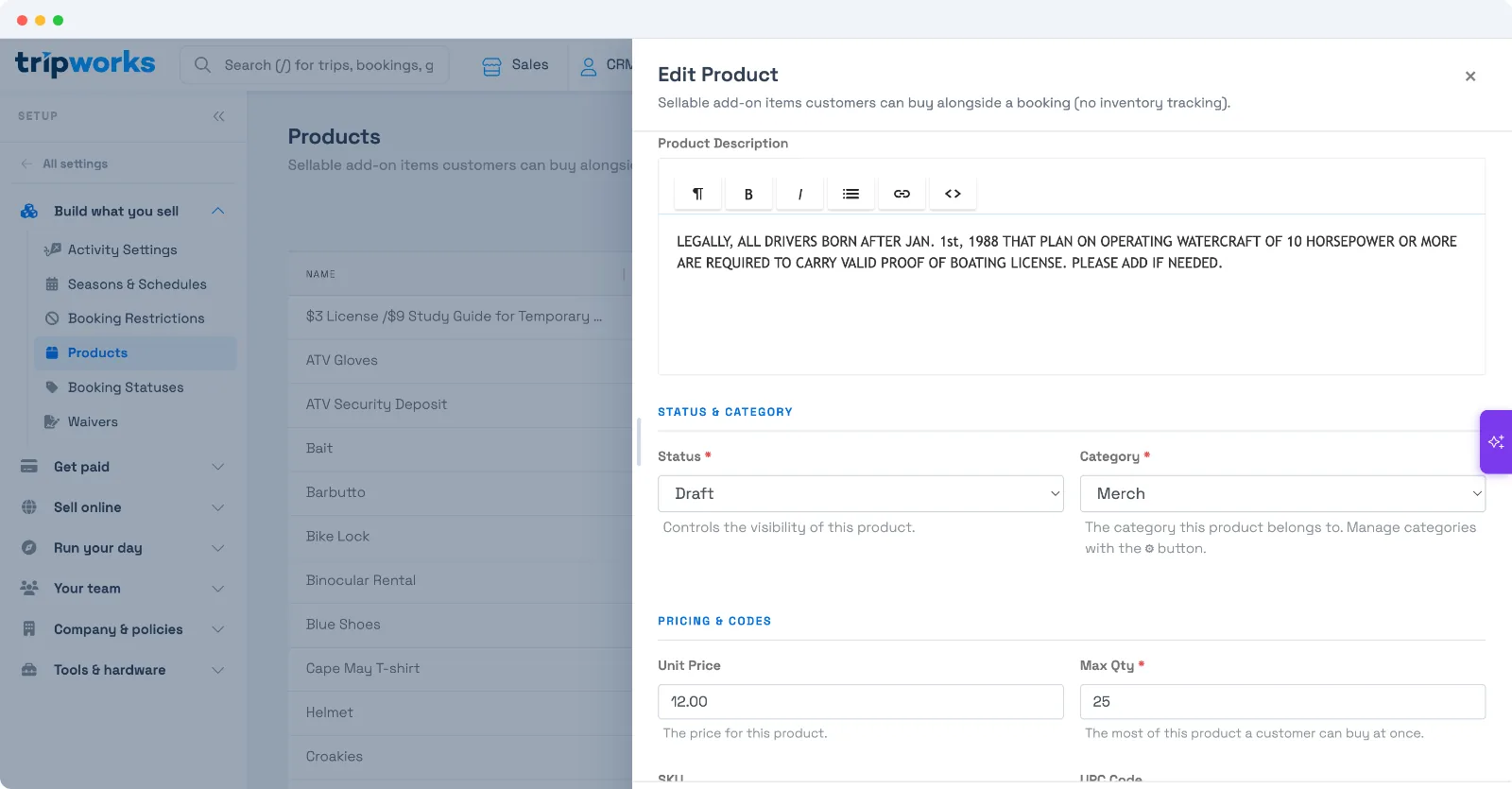
Set a product's Status under Setup Products → open the product → Status:
- Private — staff and Reservation Agents can sell it (in the dashboard, POS, and when adding it to a booking), but online customers never see it. This is what you want for an internal fee.
- Live — visible to everyone, including online shoppers on your booking site.
- Draft — not sold anywhere yet; still being set up.
- Archived — retired; hidden everywhere.
So for a "Reschedule Fee" your agents charge but customers shouldn't browse: set it Private. If you set it Live, online customers will see it.
Same idea as activities, different setting
This mirrors how activities work (Draft / Unlisted-Private / Live), but a product has its own Status field — setting an activity's status doesn't touch a product's. There's no separate "sell online" checkbox: the single Status field is the switch. Private = internal; Live = public.
Frequently asked questions
I want a fee my agents can add but customers can't see online — which status?
Private. A Private product is sellable by staff and Reservation Agents (dashboard, POS, and on a booking) but is hidden from online shoppers — ideal for internal fees like a reschedule or damage charge.
If I make a product Live, will online customers see it?
Yes. Live means visible to everyone, including on your public booking site. If you don't want customers to see it, use Private instead.
Can Reservation Agents still add a Private product to a booking?
Yes — that's the point of Private: staff and agents can sell it, only online customers can't see it. Selling a product isn't gated by product-management permissions, so booking agents can add it.
What's the difference between Draft, Private, Live, and Archived?
Draft = still being set up, sold nowhere. Private = staff-only (not online). Live = everyone, including online. Archived = retired and hidden everywhere.
Is there a separate "sell online" toggle?
No. The Status field is the single switch — Live makes it online-visible, Private keeps it staff-only. There's no additional checkbox to manage.
How is this different from an activity being Unlisted/Private?
It's the same concept (internal vs public) but a different setting. Activities have their own status (Draft/Unlisted-Private/Live); products have their own Status field. Changing one doesn't change the other.
How do I retire a product I no longer sell?
Set its Status to Archived — it's hidden everywhere (online and staff) but kept for your records, rather than deleted.
Where do I set a product's Status?
Setup → Products → open the product → the Status field (its help text reads "Controls the visibility of this product").
Related
Built for attractions, tours & activities
Sell it at the desk, hide it online
See how attractions, tours, and activities control their catalog on TripWorks. Book a demo and make the switch.