
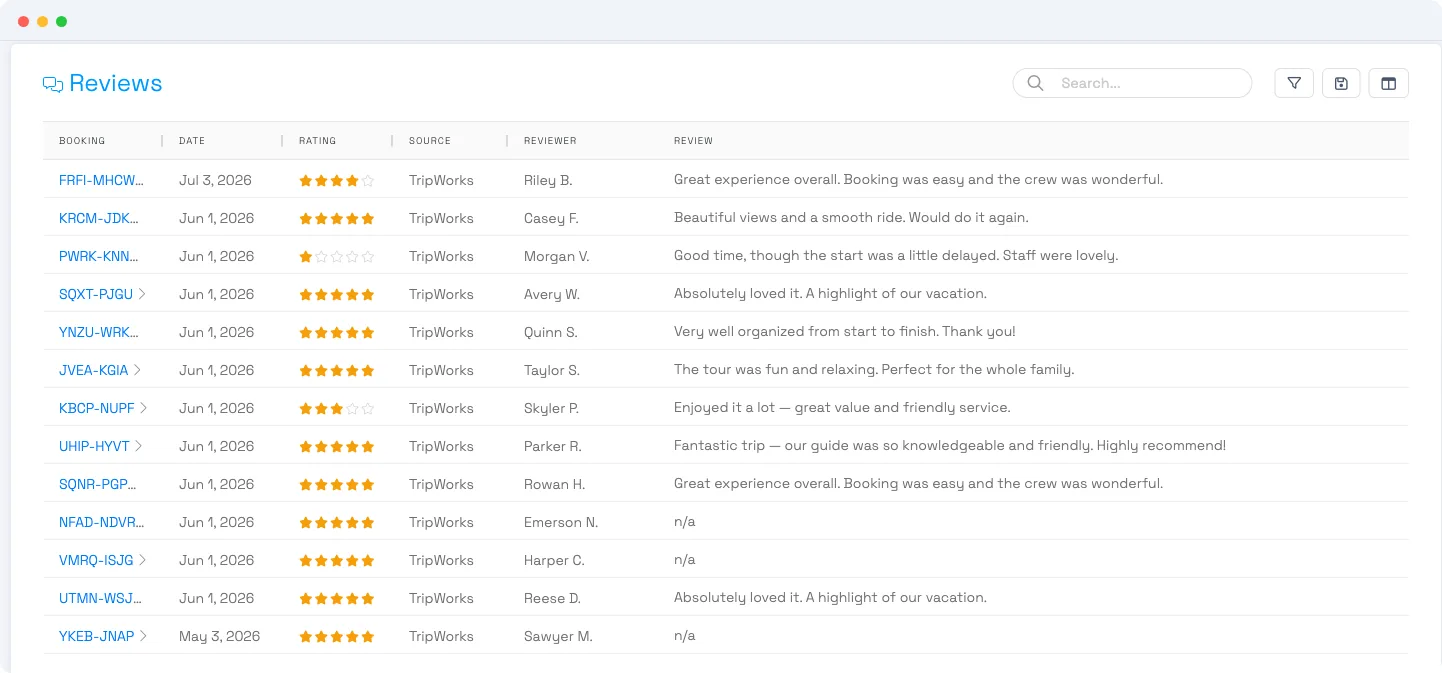
Short answer: the reviews you collect in TripWorks are view-only. You can read them, filter and search them, see the AI sentiment on each, and open the linked booking — but there's no way to hide, delete, edit, or reply to a review inside TripWorks. Here's why that's usually fine, and what to do about a genuinely public bad review.
In this article
Why a bad review usually isn't public
TripWorks doesn't publish these reviews on a public page. The review request sorts by rating:
- Happy guests are sent onward to leave a review on your public profiles — Google, Yelp, or TripAdvisor.
- Lower ratings come back to you as private feedback — they land in your reviews list, not on a public site.
So a rough review collected through TripWorks is generally private feedback for you, not something customers can see. There's nothing to "take down" because it was never posted publicly.
What you can do in the reviews list
Go to More → Reviews:
- Read the full review and its AI sentiment breakdown.
- Filter and search by activity, source, rating, sentiment, or reviewer.
- Open the booking behind a review to see the trip and follow up with the guest directly.
- Export the list for your own records.
Use it as a feedback loop: spot patterns, fix the root cause, and reach out to a guest privately where it's warranted.
A review that's actually public
If the bad review is on Google, Yelp, or TripAdvisor, it lives on that platform — not in TripWorks — so it has to be handled there:
- Respond publicly from your business profile on that platform (a calm, professional reply is often the best move).
- Report or dispute it with the platform if it breaks their policies (fake, off-topic, or abusive).
TripWorks can't remove or reply to a review on Google, Yelp, or TripAdvisor for you — those are your accounts on those sites, and only you (or the platform) can moderate them.
Frequently asked questions
Can I delete or hide a bad review in TripWorks?
No. The reviews list is view-only — there's no delete, hide, or approve action. You can read, filter, and export reviews and open the linked booking, but not remove them.
Can I reply to a reviewer from TripWorks?
Not within the reviews list. To follow up, open the booking behind the review and contact the guest directly. For a review posted on Google/Yelp/TripAdvisor, reply from your profile on that platform.
Is my bad review visible to customers?
Usually not. TripWorks routes lower ratings to you as private feedback rather than publishing them, and sends happy guests to your public profiles. So a poor review collected through TripWorks is typically private to you.
How do I get a review removed from Google or TripAdvisor?
That's handled on the platform, not in TripWorks. Respond to it publicly from your business profile, and report or dispute it with Google/Yelp/TripAdvisor if it violates their policies.
Where do I find my reviews?
Go to More → Reviews. You can filter by activity, source, rating, sentiment, and reviewer, and click any row to read the full review and see the linked booking.
Who can see the reviews list?
It requires the Marketing reports permission (or Super Admin). If you can't see Reviews, ask an account owner to grant that permission — see the user permissions reference.
Can I stop collecting reviews from certain guests?
You control when the review request goes out as part of your follow-up messaging. See Collecting guest reviews to adjust how and when reviews are requested.
Can I turn a great review into a public one?
That's exactly how it's designed to work — happy guests are guided to post on your Google, Yelp, or TripAdvisor profile, which builds your public reputation over time.
Related
Built for attractions, tours & activities
Turn feedback into your next great review
See how attractions, tours, and activities collect and route reviews on TripWorks. Book a demo and make the switch.