
Every gift card you've sold or issued lives on the Gift Cards list (Gift Cards in the main menu, or search a code from the top bar). From there you can find a card, check its balance and status, and open it to make changes.
In this article
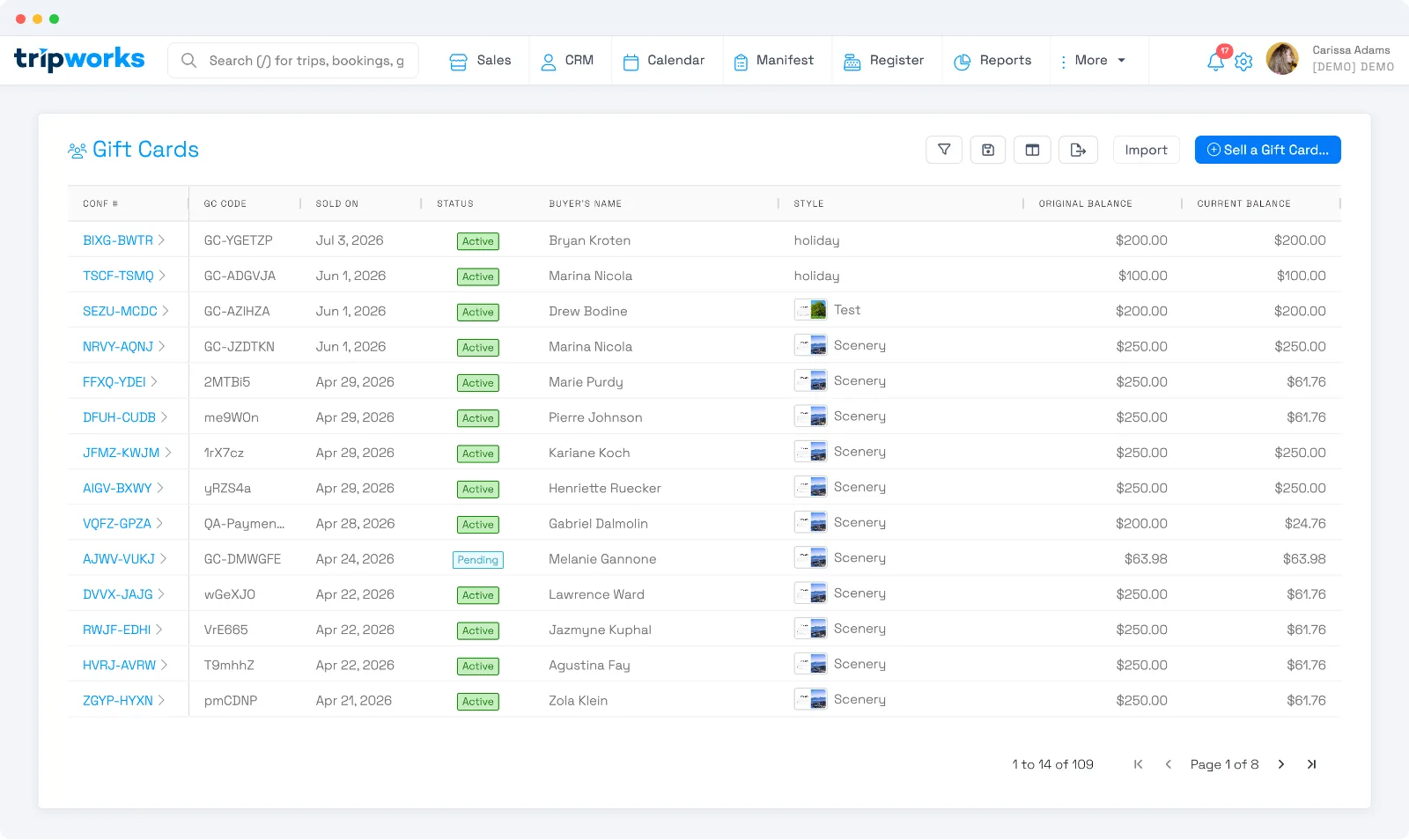
Find a gift card
Search a code in the top-bar search, or open the Gift Cards list and filter by status, buyer, or date. Each row shows the code, when it sold, its status, the buyer, the design, and the original and current balance. Select a card to open its order.
What you can do to a card
Open the gift card's order and use the actions on it:
- Reload — add value to an existing card. Enter the amount, then collect payment for it — the added balance isn't usable until that payment is taken.
- Issue a complimentary card — on a new gift card, select Edit and check Complimentary (then reserve it). A comp card activates without a payment — handy for giveaways or service recovery.
- Cancel a card — select Edit and set the expiration date to today or a past date, then save. The card flips to Expired and can no longer be used. (Cards are swept to Expired by a daily process, so a just-cancelled card may stay redeemable until the next run rather than the instant you save.)
- Reactivate an expired card — an expired card can be reactivated; its expiration moves forward by your configured number of years.
- Download PDF — save or print the gift card.
For everything you see on a card's order, see The gift card order on a trip.
Statuses
- Pending — sold but not yet activated (awaiting full payment).
- Active — activated and ready to redeem.
- Used — balance is $0.
- Expired — past its expiration date (reactivatable).
- Refunded / Deleted — reversed or removed.
Frequently asked questions
How do I add more value to a gift card?
Open the card and select Reload, enter the amount, and collect payment for it. The new balance becomes usable once that payment is taken.
How do I give someone a free gift card?
Create a gift card, select Edit, and check Complimentary. A comp card activates without a payment.
How do I cancel a gift card?
Edit the card and set its expiration date to today or the past, then save — its status becomes Expired and it can't be redeemed. To return money to the buyer, see Can I refund a gift card?
Related
Built for attractions, tours & activities
Every gift card, in one place
See how attractions, tours, and activities track and manage gift cards on TripWorks. Book a demo and make the switch.