
TripWorks can only refund money it collected, so where you refund depends on who collected the payment. For an OTA booking that's the OTA. For a reseller you invoice, there may be nothing to refund yet.
In this article
Who collected the money?
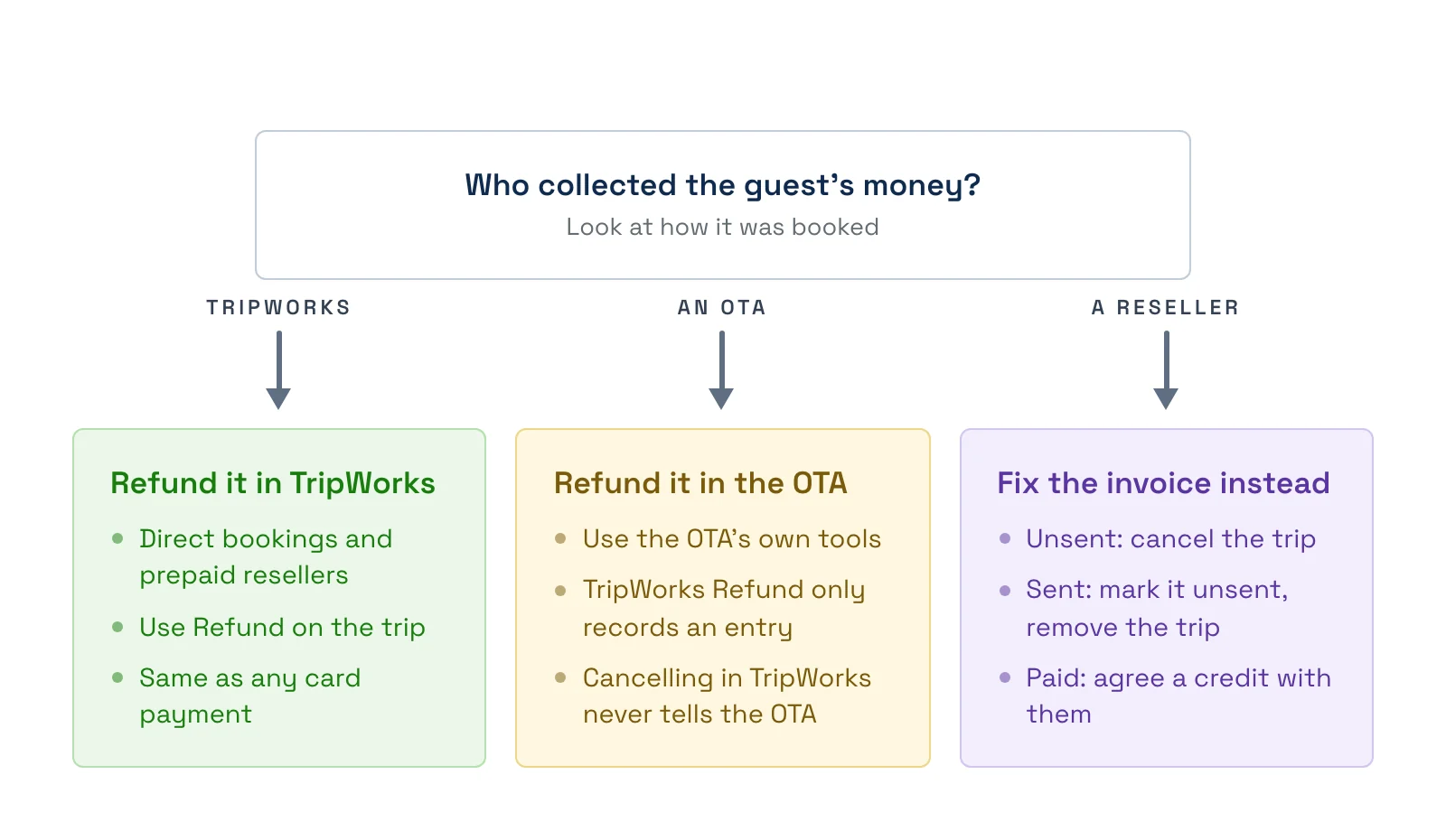
- A direct booking (your booking widget, a payment link, or a card at your counter). TripWorks collected it. Use the normal flow in Refund a payment.
- An OTA booking such as Viator or GetYourGuide. The OTA collected it and pays you the net. Refund the guest through the OTA.
- A reseller you invoice. The reseller pays you later, so see Reseller bookings on an invoice.
- A reseller set to Payment Required at Booking. It's a normal payment, usually a card, so the normal refund applies.
- A reseller set to No payment required. There's no payment to refund.
OTA bookings
Refund and cancel the guest in the OTA's own tools, for example the Viator supplier portal or the GetYourGuide supplier center. What reaches TripWorks depends on the OTA:
- Viator and GetYourGuide. The cancellation arrives in TripWorks on its own. The trip is cancelled and its payment record is removed. For GetYourGuide the record stays if the trip is on an invoice that has been sent or paid.
- Other connected OTAs. The cancellation arrives and the trip is cancelled, but its payment record stays. A cancelled trip that still shows a payment is expected here.
- Channels whose bookings you bring in yourself. Cancel the trip in TripWorks to release the spots.
Cancelling in TripWorks never tells the OTA. If you cancel a booking yourself, cancel it in the OTA too, or the guest isn't refunded.
Don't use Refund in TripWorks for an OTA booking. The button may still appear and open Process a Manual Refund, with options such as Cash, Check, or Wire Transfer. That only records an entry on the trip. It doesn't pay the guest.
Reseller bookings on an invoice
Reseller trips that you bill monthly don't have a guest payment, so you adjust the invoice and settle with the reseller.
- The invoice is Unsent. Cancel the trip. The outstanding payment record is removed. To take the trip off the invoice, select the red X next to it on the invoice.
- The invoice is Sent, Partially Paid, or Overdue. Cancelling doesn't change the invoice total. To take the trip off, open the invoice, choose Change Status → Mark as Unsent, remove the trip with the red X, and send it again.
- The invoice is Paid. Nothing changes on the invoice, and Refund isn't offered for invoice payments. TripWorks has no credit memo or void, so agree the credit or repayment with the reseller directly and record it with Add Note on the invoice.
- No payments yet. Delete Invoice is available only while nothing has been paid on it.
Check your agreement with the reseller before crediting them. Many have their own cancellation terms.
Examples
- A Viator guest cancels. Cancel and refund in the Viator supplier portal. The trip cancels in TripWorks by itself.
- You cancel an OTA trip by mistake in TripWorks. Cancel it in the OTA too, or the guest keeps the booking there.
- A hotel's trip is cancelled before you send the invoice. Cancel the trip and remove it from the Unsent invoice with the X.
- A hotel has already paid and one trip is cancelled. Agree a credit with them and add a note on the invoice.
Frequently asked questions
Why is there a Refund button on my Viator booking?
TripWorks doesn't always hide it for OTA bookings. Don't use it. It only records a manual refund entry and doesn't pay the guest. Refund through the OTA instead.
Do I need to cancel the trip in TripWorks after cancelling in Viator?
No. A Viator cancellation reaches TripWorks automatically and removes the payment record. See Connect Viator to TripWorks.
Does cancelling in TripWorks cancel the booking on the OTA?
No. TripWorks never sends cancellations to the OTA. Cancel there as well.
How do I credit a reseller who already paid their invoice?
TripWorks has no credit memo. Cancel the trip, agree the credit or repayment with the reseller outside TripWorks, and add a note on the invoice so the record is clear.
How do I remove a cancelled trip from a sent invoice?
Choose Change Status, then Mark as Unsent, remove the trip with the red X, and send the invoice again.
Why does a cancelled OTA trip still show a payment?
For some connected OTAs the cancellation keeps the payment record. It's expected. The OTA handles the guest's refund.
Related
- Refund a payment
- Invoice a reseller for their bookings
- Connect Viator to TripWorks
- How OTA & reseller bookings connect to TripWorks
Built for attractions, tours & activities
Know who refunds whom
See how attractions, tours, and activities handle OTA and reseller cancellations and invoices on TripWorks. Book a demo and make the switch.