
Guide alerts keep your team informed without anyone having to log in and check — when a trip a guide is on changes, TripWorks tells them. You choose which events notify each guide and on which channels.
Configure a guide's alerts
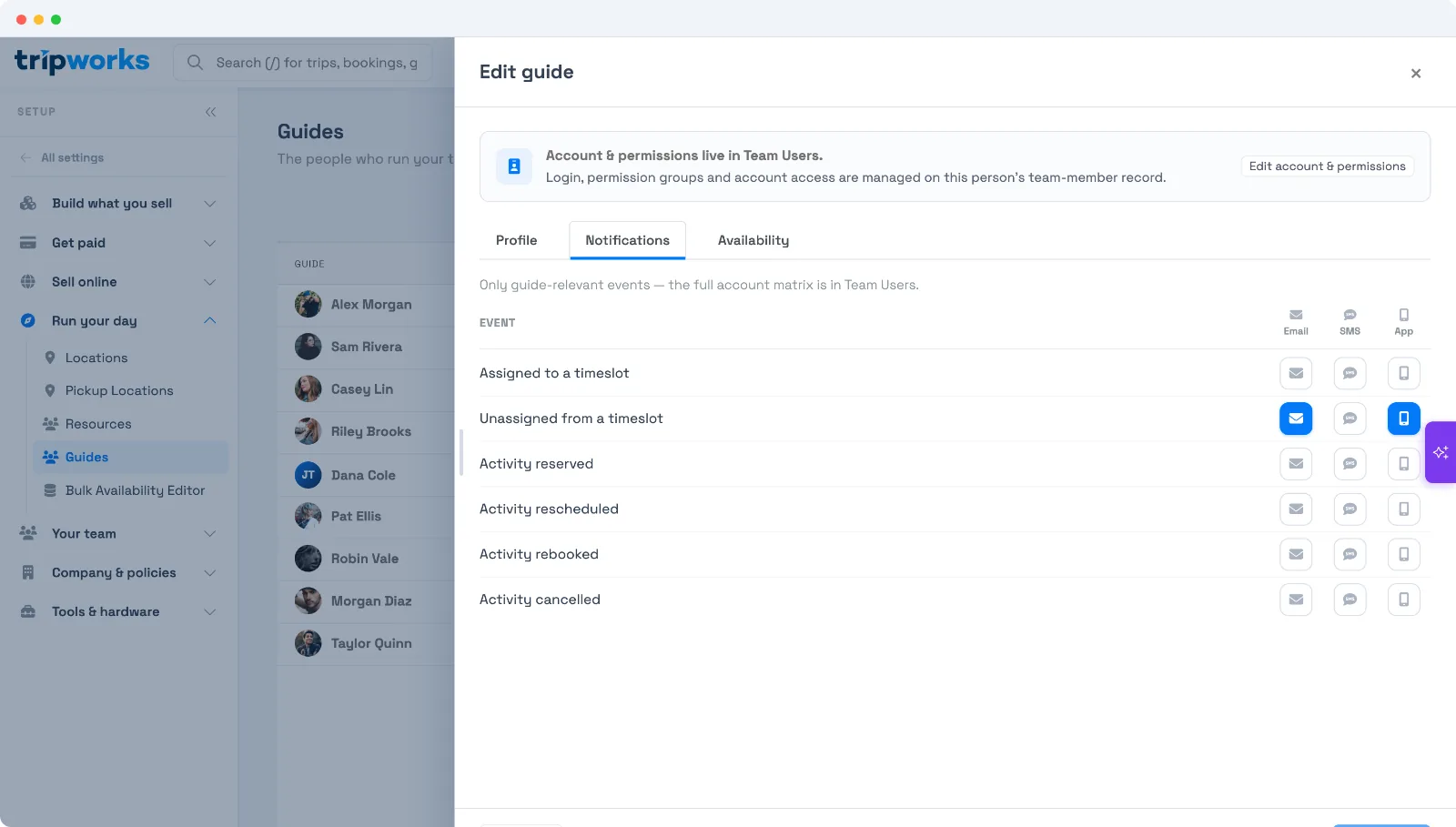
Open a guide under Setup Guides and go to the Notifications tab. You'll see a grid of events across three channels — Email, SMS, and App (in-app). Toggle each event/channel on or off for that guide.
The events
- Assigned to a timeslot — they've been added to a trip.
- Unassigned from a timeslot — they've been removed.
- Activity reserved — a booking was made on a trip they're on.
- Activity rescheduled — the trip's date or time changed.
- Activity rebooked — a booking on their trip was rebooked.
- Activity cancelled — the trip (or a booking on it) was cancelled.
By default, Email and App are on and SMS is off — a sensible starting point you can adjust per guide. These are the guide-relevant events; a guide's full account-notification matrix lives on their team-member record.
When alerts fire
Alerts send automatically as things happen — assign a guide and they're notified; reschedule the trip and everyone on it hears about it. If several assignments happen at once (say you bulk-assign a guide across a week), TripWorks bundles them into a single message rather than flooding their inbox.
Frequently asked questions
Which channels can guides be notified on?
Email, SMS, and in-app ("App"). You choose per event, per guide. Email and App are on by default; SMS is off.
Do guides get notified when a trip is cancelled or moved?
Yes, if those events are enabled — activity rescheduled, rebooked, and cancelled are all in the list, alongside assigned/unassigned.
Will bulk assignments send a flood of emails?
No. When many assignments happen together, TripWorks consolidates them into one message per guide.
Related
Built for attractions, tours & activities
Keep your guides in the loop, automatically
See how attractions, tours, and activities keep their team informed on TripWorks. Book a demo and make the switch.