
If a trip won't let you make changes, it's almost always because the trip is locked. TripWorks locks a trip automatically about 14 days after it's created so that changes to older trips can't quietly rewrite reports you've already run.
Here's the problem locking prevents: if you ran a sales report today and later added tickets, changed a price, or processed a refund on an old trip, that report's numbers would no longer match. Locking older trips keeps your records and reports consistent.
Unlock a trip to edit it
If you do need to change a locked trip:
- Open the trip.
- Select Unlock.
- Make your changes — the usual editing options appear once the trip is unlocked.
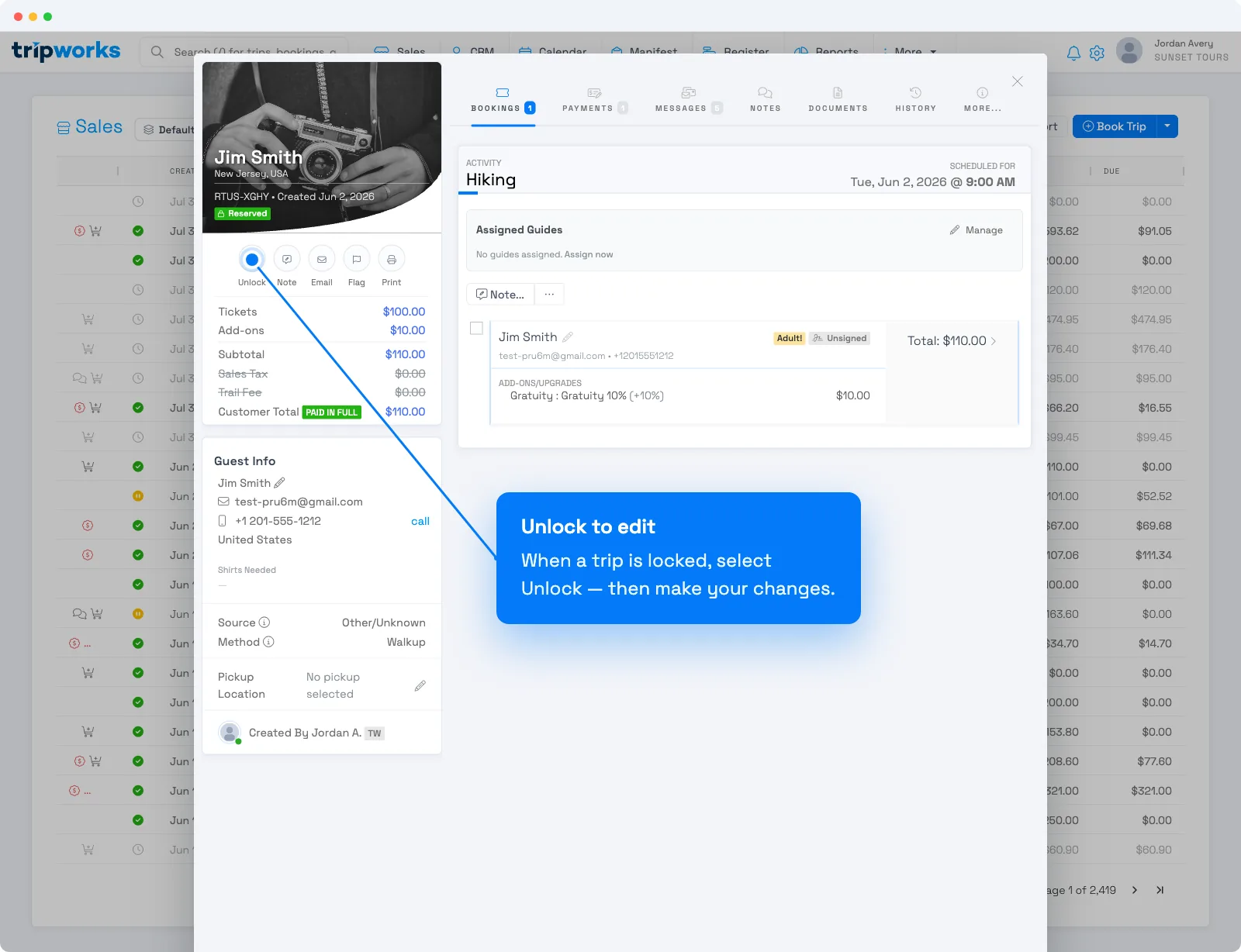
After you edit an unlocked trip, re-run any reports you'd already pulled so their numbers reflect the change.
No Unlock button? Unlocking is permission-controlled. If you don't see it, your role doesn't include Allow trips to be unlocked — ask an account owner to grant it. See the User permissions reference.
Frequently asked questions
Why did my trip lock on its own?
Trips lock automatically about 14 days after they're created. It's built in — it protects the accuracy of reports you may have already run against that trip.
Can I stop trips from locking?
Locking is automatic and there to protect your reporting. When you genuinely need to change an old trip, unlock that trip, make the change, and re-run any affected reports.
I don't see an Unlock button — why?
Unlocking requires the Allow trips to be unlocked permission. Ask an account owner to add it to your permission group.
Related
Built for attractions, tours & activities
Keep your books accurate without the busywork
See how attractions, tours, and activities keep trips, payments, and reports in sync on TripWorks. Book a demo and make the switch.